
JavaScript Default Parameters
In this tutorial, you will learn about JavaScript default parameters with the help of examples.
Starting from JavaScript ES6, we can provide default values for function parameters.
These default values are used when the function is called without passing the corresponding arguments.
Here's a quick example of JavaScript default parameters. You can read the rest of the tutorial for more details.
Example
function greet(name = "Guest") {
    console.log(`Hello, ${name}!`);
}

greet();

// Output: Hello, Guest!
In this example, the greet() function has a default parameter name with the string value Guest. Since we have not passed any argument to the function, it uses the default value.
Example: JavaScript Default Parameters
function sum(x = 3, y = 5) {
    // return sum
    return x + y;
}

// pass arguments to x and y
var result = sum(5, 15);
console.log(`Sum of 5 and 15: ${result}`);

// pass argument to x but not to y
result = sum(7);
console.log(`Sum of 7 and default value (5): ${result}`);

// pass no arguments
// use default values for x and y
result = sum();
console.log(`Sum of default values (3 and 5): ${result}`);
Output
Sum of 5 and 15: 20
Sum of 7 and default value (5): 12
Sum of default values (3 and 5): 8
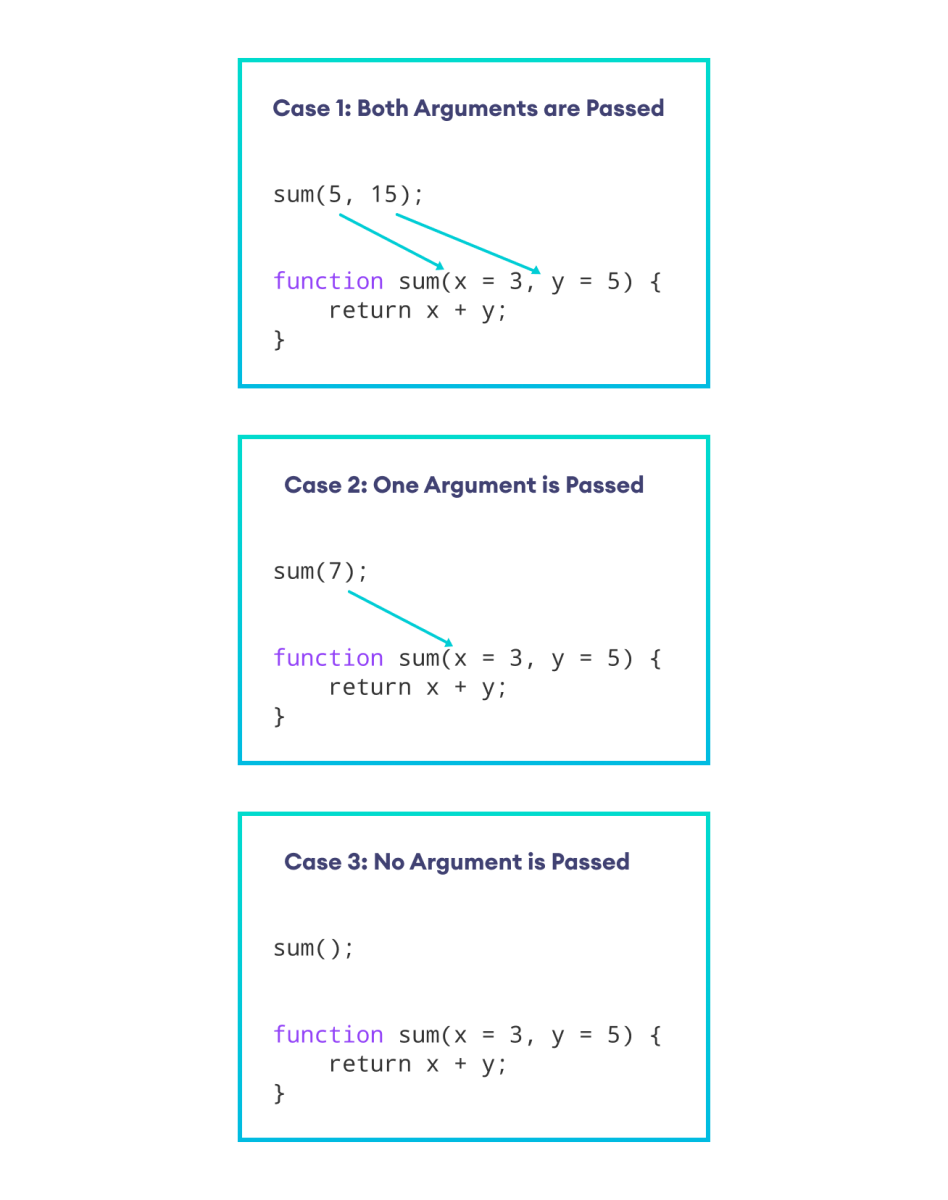
In the above example, the default value of x is 3 and the default value of y is 5.
sum(5, 15)- When both arguments are passed, x takes 5 and y takes 15.sum(7)- When 7 is passed, x takes 7 and y takes the default value 5.sum()- When no argument is passed, x and y take the default values 3 and 5, respectively.
More on Default Parameters
In JavaScript, you can pass one parameter as the default value for another. For example,
function sum(x = 1, y = x,  z = x + y) {
    console.log( x + y + z );
}

sum();

// Output: 4
In the above example,
- The default value of x is 1.
- The default value of y is set to the x parameter.
- The default value of z is the sum of x and y.
So when sum() is called without any arguments, it uses these default values, leading to the calculation 1 + 1 + 2 = 4. Hence, the output is 4.
We can also pass a function as a default value in JavaScript. For example,
// use a function in default value expression

const sum = () => 15;

const calculate = function( x, y = x * sum() ) {
    return x + y;
}

const result = calculate(10);
console.log(result);

// Output: 160
Here,
- 10 is passed to the
calculate()function. - x becomes 10, and y becomes 150 (the
sum()function returns 15). - The result will be 160.
In JavaScript, when you pass undefined to a default parameter function, the function takes the default value. For example,
function test(x = 1) {
    console.log(x);
}

// pass undefined
// takes default value 1
test(undefined);

// Output: 1
Also Read:


