
HTML Entities
In this tutorial, we will learn about entities in HTML with the help of examples.
The HTML entities are used to display reserved characters (characters that are used in HTML code), special characters, or invisible characters. For example,
<p>This is a <p> tag.</p>
Browser Output
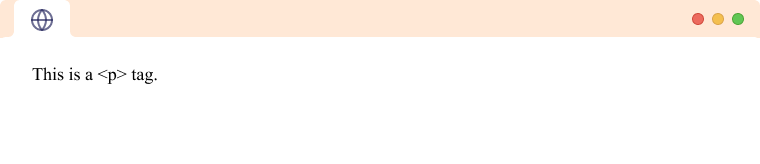
Here, < and > are the HTML entities used to display < and > respectively.
If we were to use the <p> tag instead of <p> the browser would read it as a tag. Hence to display <p> we need to use < and > instead of < and > respectively.
HTML Entities Syntax
HTML entities are represented by either their name or their number.
- Entity names
We use &entity_name; to add reserved characters using Entity names. For example,
¢ would be displayed as ¢
- Entity number
We use &#entity_number; to add reserved characters using Entity number. For example, ¢ would also be displayed as ¢
All entity names and numbers start with an & and end with an ;.
Note: Not all entities have names, only characters that are commonly used have entity names.
Special Characters
Special characters are characters that are not available on a general keyboard like ®, ©, ¢, etc.
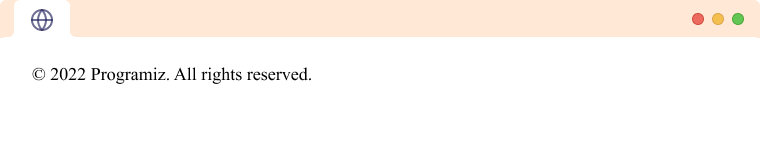
We use HTML entities to add special characters to HTML documents. For example
<footer> © 2022 Programiz. All rights reserved. </footer>
Browser Output
Invisible Characters
An invisible character is a character that is not visible when rendered in a document or text field. These characters can be used for various purposes, such as adding white space or formatting a document. For example,
<p>Invi<span>‌</span>sible<span> </span>Cha<span>‌</span>racters</p>
Browser Output
Here, ‌ and are invisible characters. ‌ is a zero-width character whereas is a space character.
Some examples of invisible characters are – space, tab, zero-width space, etc.
Some important HTML entities
| Character(s) | Literal(s) | Alphanumeric value(s) | Unicode value(s) |
|---|---|---|---|
| Cent (currency) | ¢ |
¢ |
¢ |
| Pound (currency) | £ |
£ |
£ |
| Section | § |
§ |
§ |
| Copyright | © |
© |
© |
| Guillemets | « » |
« » |
« » |
| Registered trademark | ® |
® |
® |
| Degree(s) | ° |
° |
° |
| Plus/minus | ± |
± |
± |
| Pilcrow (paragraph) | ¶ |
¶ |
¶ |
| Middle dot | · |
· |
· |
| Fractional half | ½ |
½ |
¼ |
| En dash | – |
– |
– |
| Em (long) dash | — |
— |
— |
| Single quotes | ' ' |
‘ ’ |
‘ ’ |
| Single low quote | ‚ |
‚ |
‚ |
| Double quotes | " " |
“ ” |
“ ” |
| Double low quote | „ |
„ |
„ |
| Single & double daggers | † ‡ |
† ‡ |
† ‡ |
| Bullet | • |
• |
• |
| Ellipsis | … |
… |
… |
| Prime & double prime | ′ ″ |
′ ″ |
′ ″ |
| Euro sign | € |
€ |
€ |
| Trademark | ™ |
™ |
™ |
| Almost equal to | ≈ |
≈ |
≈ |
| Not equal to | ≠ |
≠ |
≠ |
| Less/greater than or equal to | ≤ ≥ |
≤ ≥ |
≤ ≥ |
| Less/greater than | < > |
< > |
> < |