
CSS border Property
In this tutorial, you will learn about CSS border shorthand property with the help of examples.
CSS border shorthand property sets the border of an element. It defines the thickness, style, and color of the element's border. For example,
h1 {
    border: 4px solid blue;
}
Browser Output
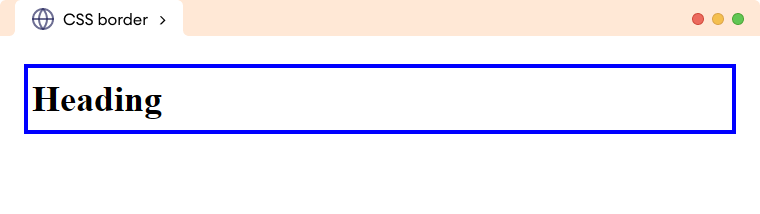
Here, the border property adds a solid blue border of 4px to the h1 element.
CSS border Syntax
The syntax of the shorthand border property is as follows,
border: border-width border-style border-color;
Here,
- border-width: specifies the width of the border in length units or keywords
- border-style: specifies the style of the border such as
solid,dashed,dotted, etc - border-color: specifies the color of the border such as
red,RGB(0, 255, 0), etc
Note: The border shorthand property requires at least border-style value to work.
CSS border Example
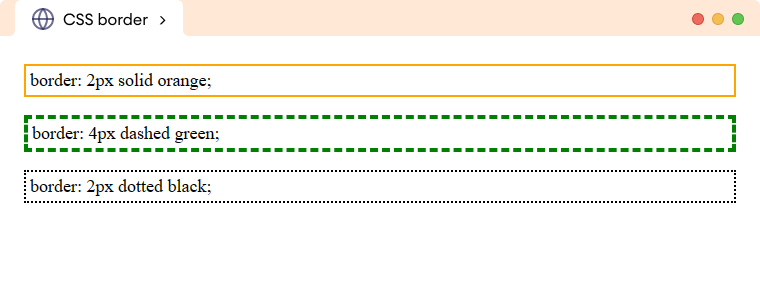
Let's see an example of the shorthand border property,
<!DOCTYPE html>
<html lang="en">

    <head>
        <meta charset="UTF-8" />
        <meta name="viewport" content="width=device-width, initial-scale=1.0" />
        <link rel="stylesheet" href="style.css" />
        <title>CSS border</title>
    </head>

    <body>
        <p class="border-solid">border: 2px solid orange;</p>
        <p class="border-dashed">border: 4px dashed green;</p>
        <p class="border-dotted">border: 2px dotted black;</p>
    </body>

</html>
/* styles all paragraph */
p {
    padding: 4px;
}

p.border-solid {
    /* border-width | border-style | border-color */
    border: 2px solid orange;
}

p.border-dashed {
    /* border-width | border-style |  border-color */
    border: 4px dashed green;
}

p.border-dotted {
    /* border-width | border-style | border-color */
    border: 2px dotted black;
}
Browser Output
CSS border Constituent Properties
The border is a shorthand property to specify the border-style, border-width, and border-color property in a single declaration.
Let's see an example,
<!DOCTYPE html>
<html lang="en">

    <head>
        <meta charset="UTF-8" />
        <meta name="viewport" content="width=device-width, initial-scale=1.0" />
        <link rel="stylesheet" href="style.css" />
        <title>CSS border</title>
    </head>

    <body>
        <h1>CSS border Property</h1>
    </body>

</html>
h1 {
    /* border-width border-style border-color */
    border: 4px solid blue;
    padding: 8px;
}
Browser Output
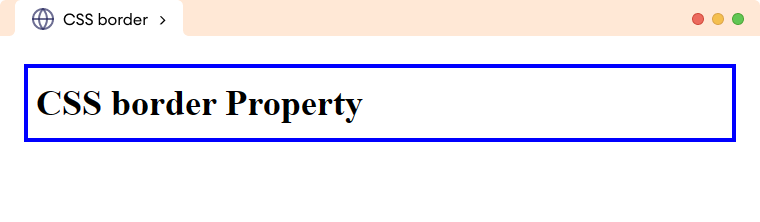
In the above example,
border: 4px solid blue;
is equivalent to,
border-top: 4px solid blue;
border-right: 4px solid blue;
border-bottom: 4px solid blue;
border-left: 4px solid orange;